Radius Around Me
Draw radius circles anywhere on the map.
Explore what’s within reach. Add unlimited radii with your own distances, units and colors, mark important places, and move your circles with the center pin.


Make it yours
Your distances. Your colors. Your map.
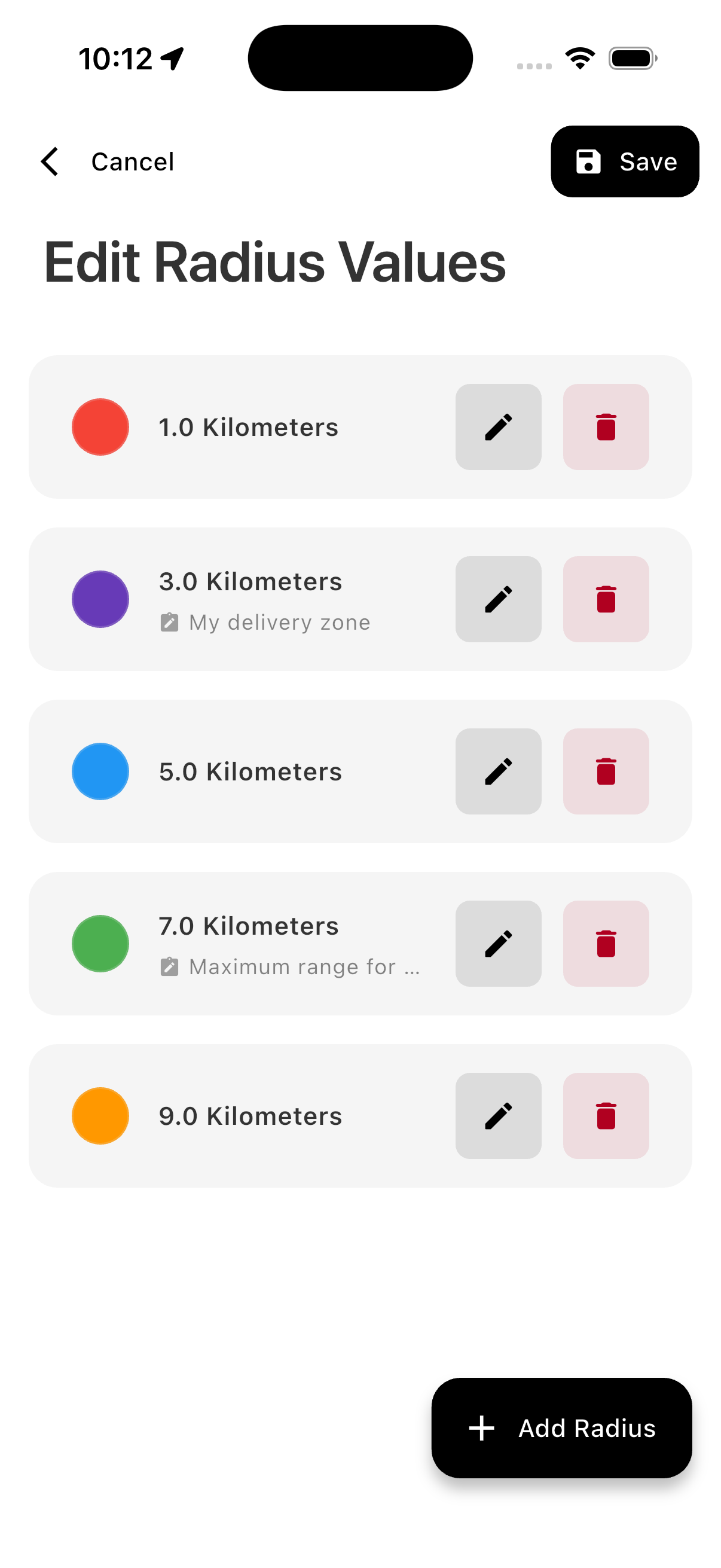
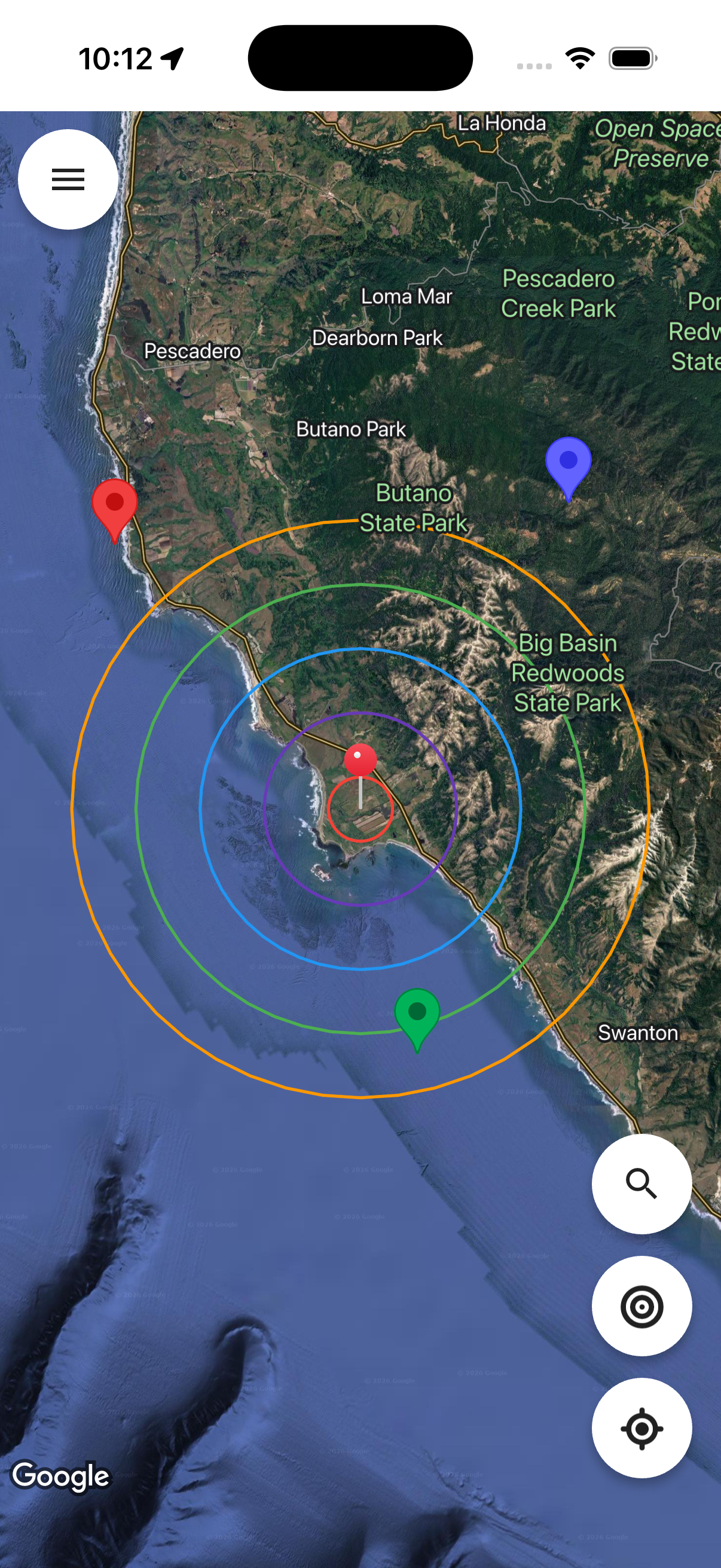
Add as many radii as you need. Set the distance, choose miles, kilometers or feet, and give each circle its own color.
- Unlimited radii
- Individual distances and units
- A color for every circle
Prefer just the outlines? Switch circle fill on or off.
A map that moves with you
Explore from wherever you choose.
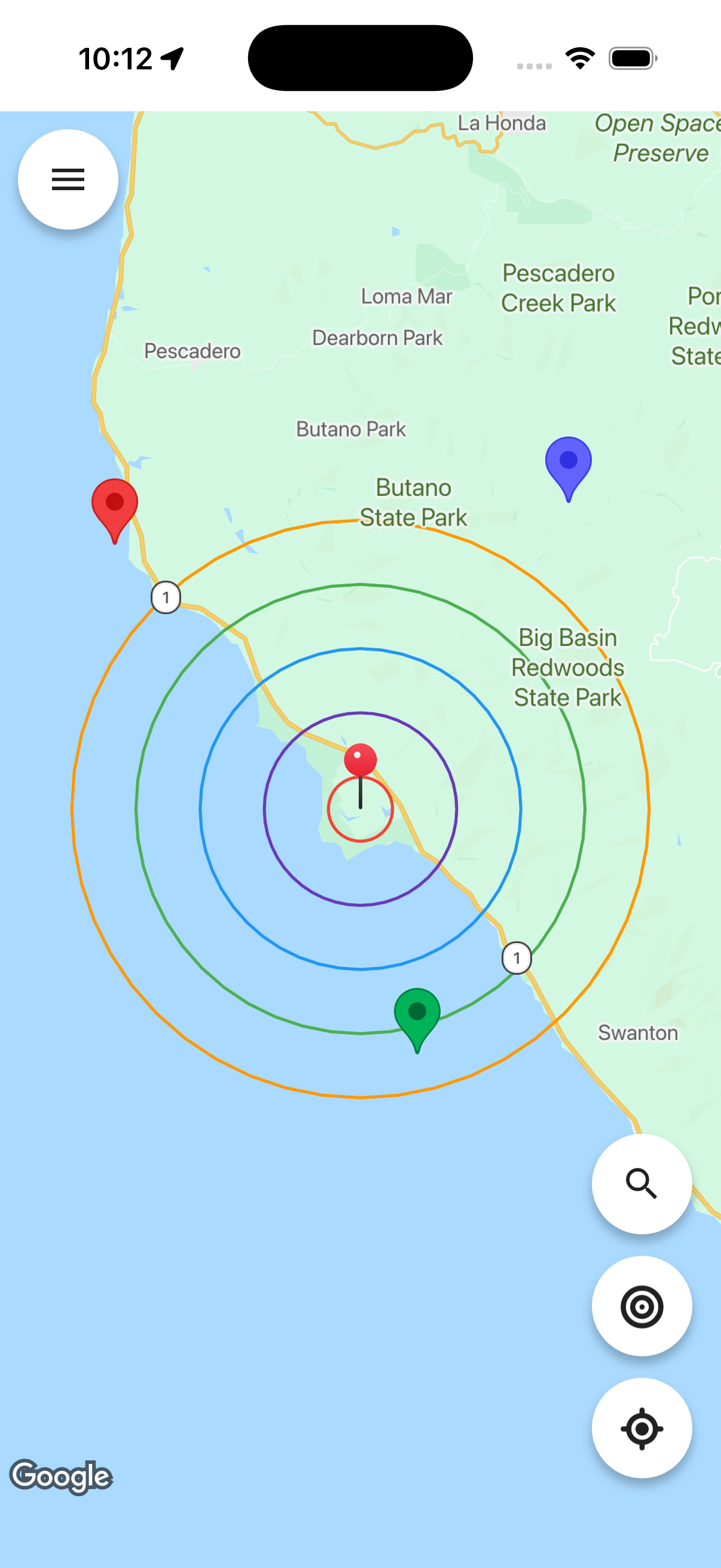
Start at your current location or choose a place on the map. Drag the center pin to reposition your circles as you explore.
Let your circles follow your live location as you move.
Places with context
Keep important places in view.
Long-tap anywhere to drop a marker and choose its color. Keep the places that matter visible alongside your circles.
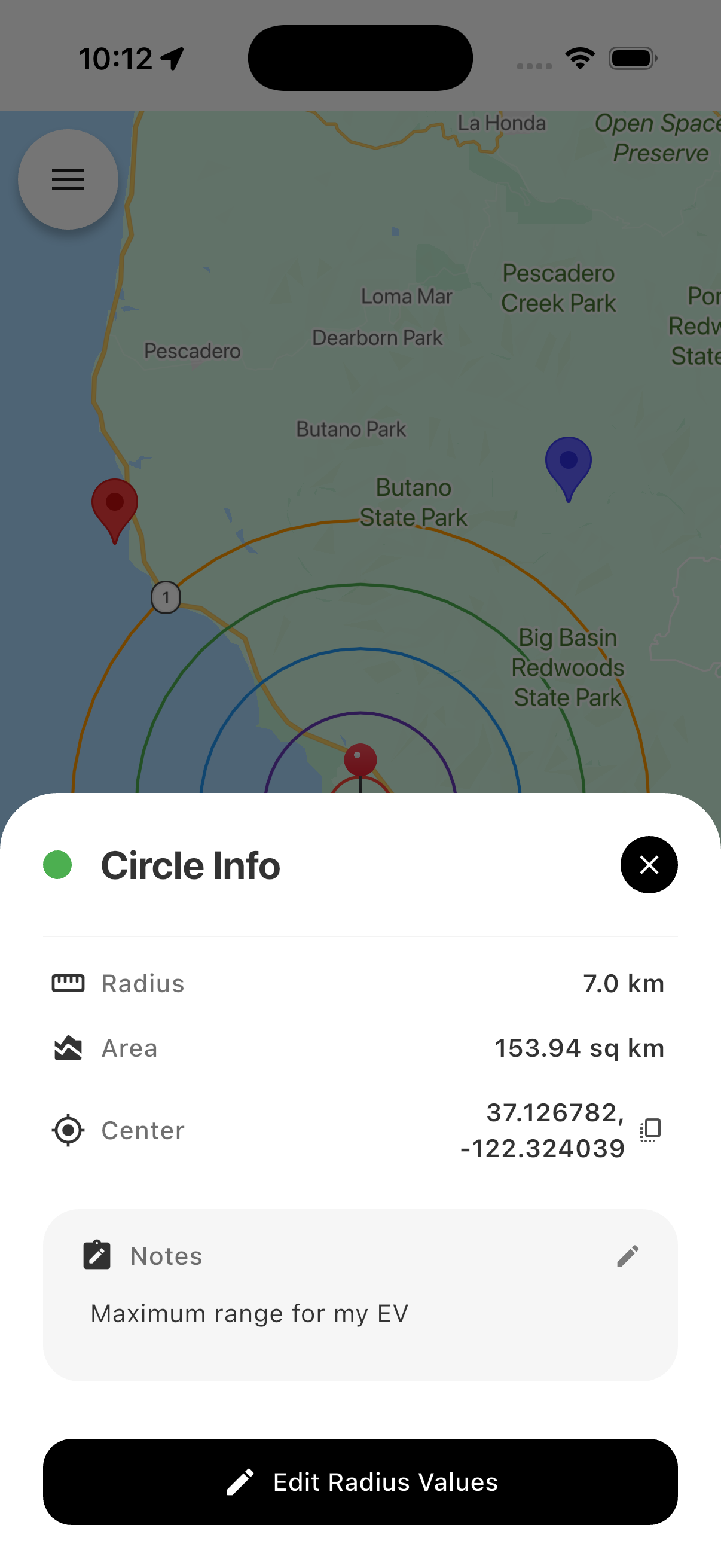
Tap a marker to see its coordinates, or tap a circle for its center coordinates and estimated area.
Add notes to circles and markers.
Keep useful details connected to the places on your map.
A fresh perspective
A different view of the same place.
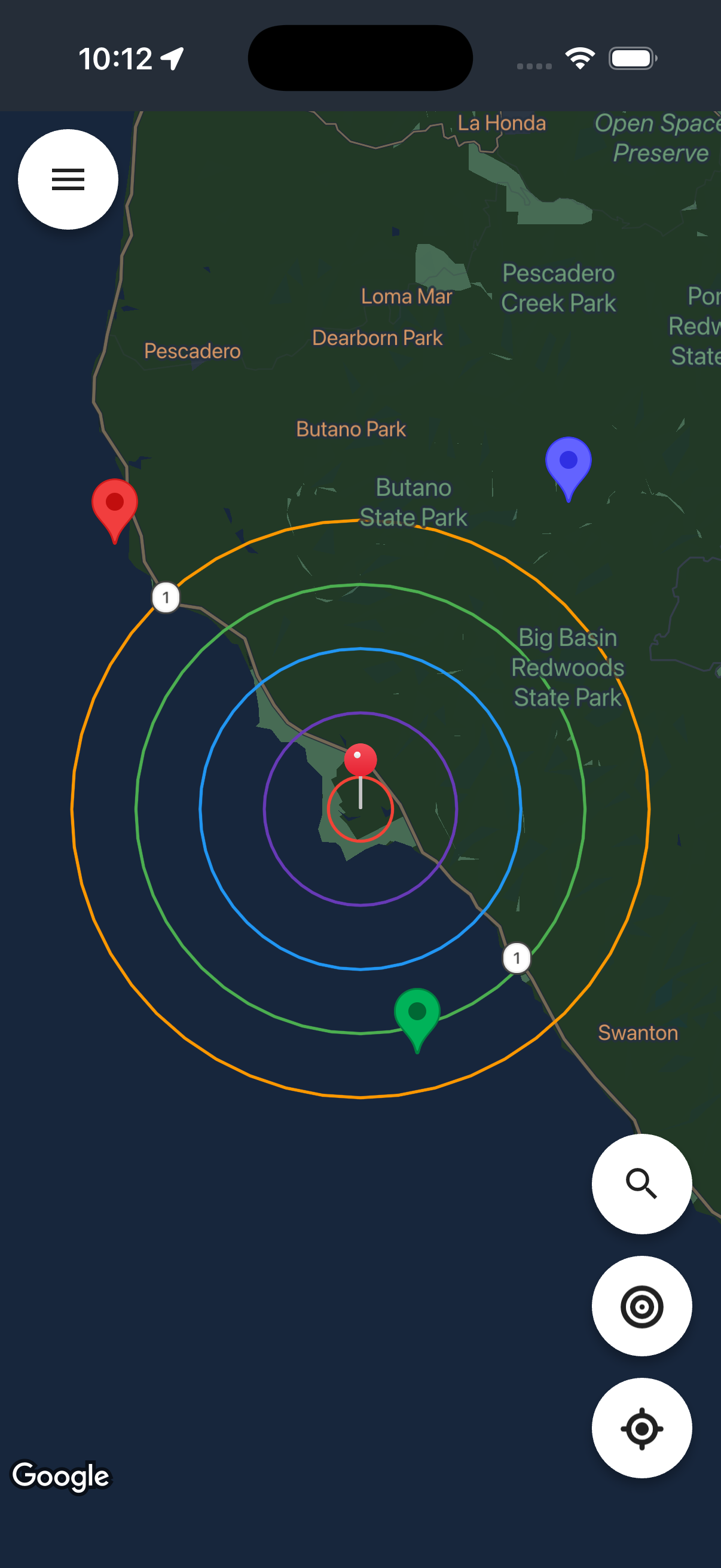
Switch between Normal, Satellite and Terrain. Prefer a darker interface? The app has a dark theme, too.
Ready to share
From your screen to a PDF.
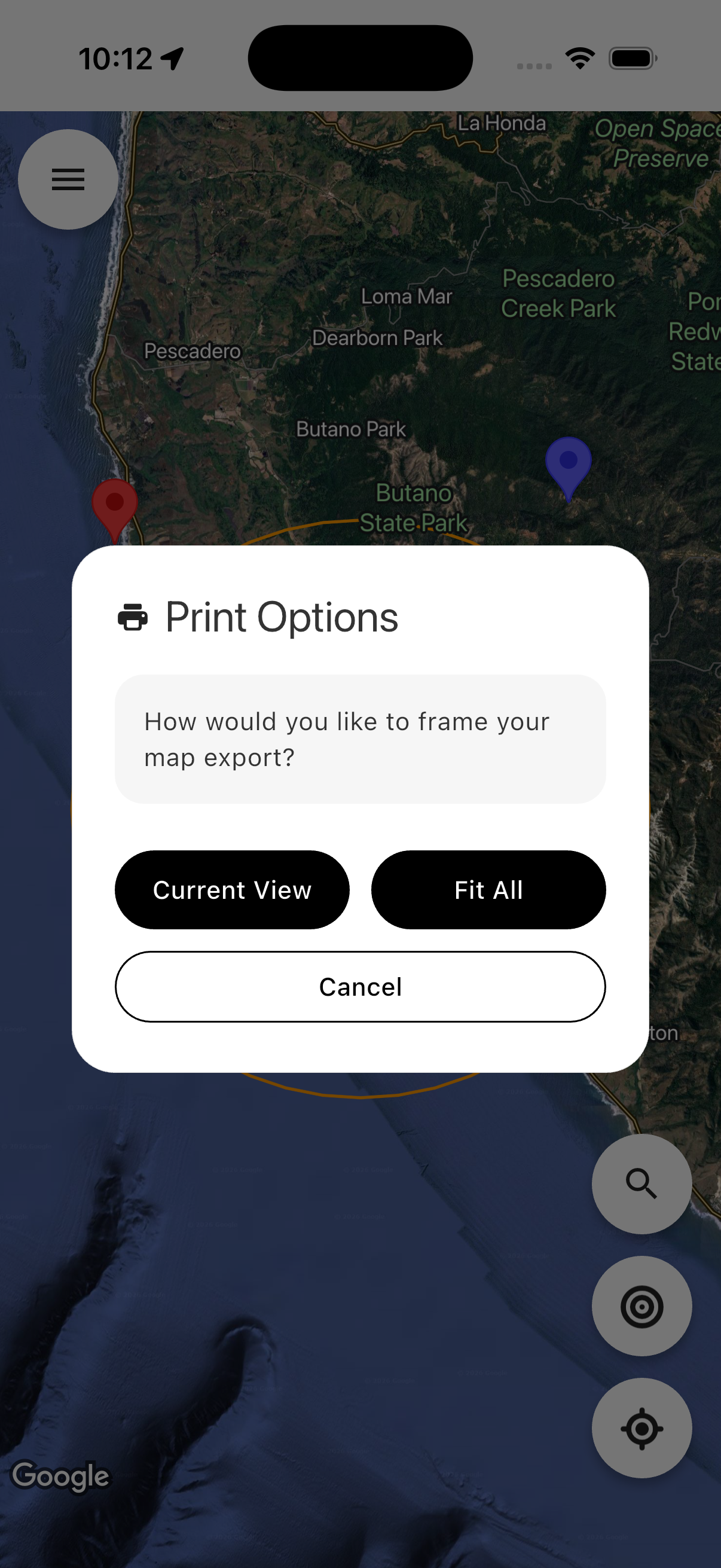
Export your map with coordinates and area measurements, ready to share or print.
Choose the current view or fit all your map elements into the export.
Keep a copy for your plans, or share it with someone who needs the same view.
What our users say.
Very good so far. I use it to find a 150 Mi radius around a point on the map. This allows me to know where I have to turn my electronic login device on with my semi truck.
Really good app, does exactly what I wanted. Used it for event planning to see parking and entry zones around the venue.
I started using this for my trucking company to help me to have a better visual understanding of miles in a circle radius and it has been very helpful for load planning and research in general. I like the updates with being able to drag the radius around before it was a complete hassle to reset everything. Thank you.
FAQs
How do I draw a radius circle around an address?
Search for the address to center the map, then add a circle and choose its radius. Radius Around Me supports miles, kilometers, and feet, so you can map a distance such as five miles around a location.
Can I draw several radius circles on the same map?
Yes. Add unlimited radii, each with its own distance, unit and color. Use the center pin to reposition your circles as you explore.
Which radius units can I use?
You can set a circle’s radius in miles, kilometers, or feet. Tap the circle to view its center coordinates and estimated enclosed area.
Can I change the color of each circle and marker?
Yes. Choose a separate color for every circle and marker. You can also show or hide circle fill.
How do I move my circles or a marker?
Drag the center pin to reposition your circles on the map. Long-press a marker and drag it to adjust its position.
How can I see coordinates and the area inside a circle?
Tap a marker to view its coordinates. Tap a circle to view its center coordinates and calculated area. Area measurements are estimates for visual planning.
Can I use satellite or terrain maps?
Yes. Switch between Normal, Satellite, and Terrain views while working with your circles and markers.
Can a radius circle follow my current location?
Yes. Dynamic Circles follow your live GPS location as you move while the app is in use.
Can I add notes to a circle or marker?
Yes. Tap a circle or marker to add a custom note and keep useful details connected to your map.
Can I print or share a map with my radius circles?
Yes. Export your map as a PDF with coordinates and area measurements, then save, share or print it.
What’s free, and what does Premium include?
The free version includes unlimited radii, custom distances, units and colors, markers, address search, coordinates, estimated areas and map styles. Premium adds live-location circles, notes, circle fill controls, PDF export and an ad-free experience.
How can I use radius circles to plan a delivery or service area?
Place a circle around your base address and set the radius to the distance you want to visualize. Add markers for important locations and use different circle colors to compare coverage. The circles show distance around a point rather than a driving route.
Radius Around Me
See what’s within your radius.
Draw your circles, mark your places, and explore your map.